

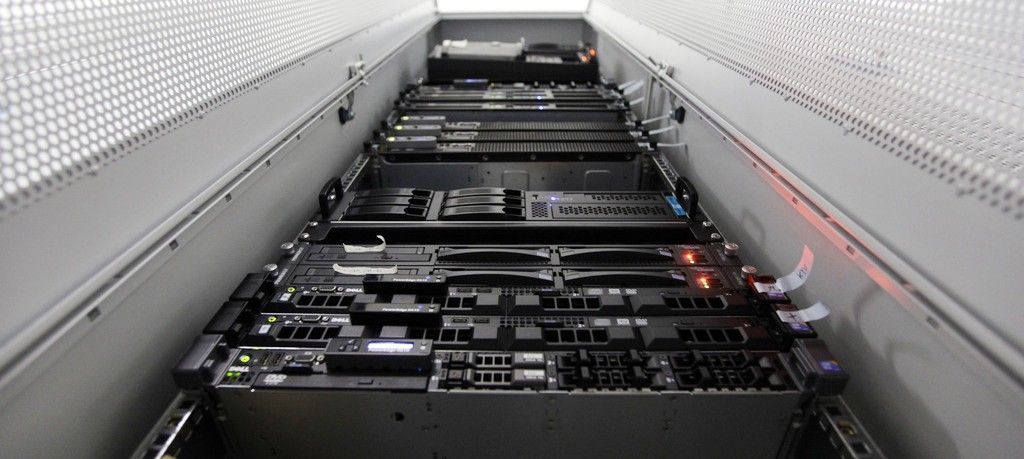
Render farms are not just for final renders. If you're only using your farm at the end of the pipeline, you're leaving enormous productivity gains on the table.
A render farm lets your CG team submit compute-intensive jobs to a pool of servers to free up artist workstations for actual creative work. The problem is that most studios only think to use it at the end, for final shot rendering.
As a result, you get bottlenecks earlier in the pipeline, frustrated artists waiting on their own machines, and delayed deliveries.
The fix is simple: push work to the farm earlier and more often! In this article, we'll give you tips on how to better leverage your render farm for CG production.
1. Modeling & Look Development Renders
Testing materials on hi-poly meshes or complex textures can lock up a workstation for hours:
- Set up a lightweight "test render" job queue on your farm for look dev submissions
- Allow artists to submit directly from their DCC (Maya, Blender, Houdini) without leaving their scene
- Keep a dedicated low-priority queue so test renders don't compete with production shots
You can log look dev renders as tasks in Kitsu so supervisors can review material tests with proper versioning rather than chasing previews over Slack.
2. Texture Baking
Baking complex materials into simple textures can require several long render passes, even for a single asset:
- Treat texture bakes as first-class farm jobs, not something artists run overnight on their own machines
- Batch-bake related assets together to reduce setup overhead
- Store baked outputs in a named, versioned location so downstream departments can always find the latest
Create a dedicated "Texture Bake" task type in Kitsu. Artists mark it In Progress when they submit and Done when the farm completes it. It gives the asset team a real-time view of what's ready for rigging or shading.
3. Animation Cache Generation
Animators iterate fast and need many variants. Each cache (vertex coordinates per frame) can take minutes to hours to compute:
- Route all cache generation to the farm rather than computing locally
- Use your farm's job dependency system so caches are automatically triggered when an animation file is published
- Keep old caches versioned so animators can roll back without recomputing
You can use Kitsu's revision system to attach cache jobs to specific animation task retakes. When a supervisor requests a change, the new cache version is tracked against that revision, so no confusion about which cache matches which note.
4. FX Simulation
FX sims are barely parallelizable. They just run long on a single core. The farm won't speed up one sim dramatically, but it lets you run many simultaneously without tying up artist machines:
- Submit sim variants as separate jobs the moment an FX artist wants to explore options
- Use low-priority queues for exploration sims and reserve high-priority slots for approved directions
- Log which sim version was approved so it can be referenced in downstream compositing
Kitsu's task comment system lets FX leads attach notes directly to specific sim submissions, keeping feedback tied to the right version.
5. Preview & Playblast Generation
Generating review-ready previews at every validation step can take dozens of minutes. If it blocks the artist's machine, they either skip it or stay late waiting. Instead:
- Automate preview generation as a post-publish step. Every time an artist publishes a new version, the farm generates a preview automatically.
- Deliver the preview directly to your production tracking tool the moment it's done.
- Standardize preview formats (resolution, codec, frame handles) so reviewers always see comparable output.
Kitsu is built for exactly this. Its preview pipeline accepts uploaded previews and attaches them directly to the relevant task and version. When the farm finishes rendering, it can push the preview straight to Kitsu via the API so supervisors get a notification and can annotate immediately.
6. Final Shot Rendering
Managing render priority is hard. When everything is "urgent," nothing gets done efficiently.
- Work with your production manager to map shot deadlines to render priorities before crunch hits
- Reserve a portion of your farm capacity for emergency re-renders; don't let it get fully booked by exploratory work
- Monitor farm utilization regularly: idle nodes during crunch indicate a pipeline problem
Tip: Use Kitsu's scheduling and priority views to align render farm priority with actual shot deadlines. When a supervisor bumps a shot to "high priority" in Kitsu, that signal can propagate to the farm manager automatically through pipeline integrations.
7. Compositing
High-resolution compositing passes are slow locally, which limits how many parameter variations artists can test.
- Push compositing renders to the farm as a standard part of the comp workflow, not just for finals
- Set up comp job templates so artists aren't manually configuring farm submissions each time
- Version comp outputs the same way you version renders
Comp tasks in Kitsu give compositors a clear handoff point from the lighting department: Once lighting marks a shot Done in Kitsu, compositors get notified and can start their farm submissions with the approved render layers.
The Hidden Problem: Managing the Workload
Once you start using your farm at every stage, you'll face a new challenge: too many jobs, not enough visibility. Render farms consume significant network bandwidth and storage. People will push more than the farm can handle, and prioritization becomes both a technical and political problem.
This is where production tracking and pipeline tooling pay off. Kitsu gives you:
- A single source of truth for task status across all departments
- Preview management so review conversations happen on the right version
- API integrations that connect your farm manager to your production data
- Open source flexibility so your pipeline team can wire it to whatever farm software you use